
Short story games: Scales of Justice, Department of Lost Things, One Minute to Extinction and more
Updated 1 November 2026
These five games are short and lean on their writing, but each has rules underneath that are worth knowing: hidden weights behind your choices, clocks that do not wait, endings you can miss. This guide explains how each one works without giving away its story, so you know what to look for on your first time through.
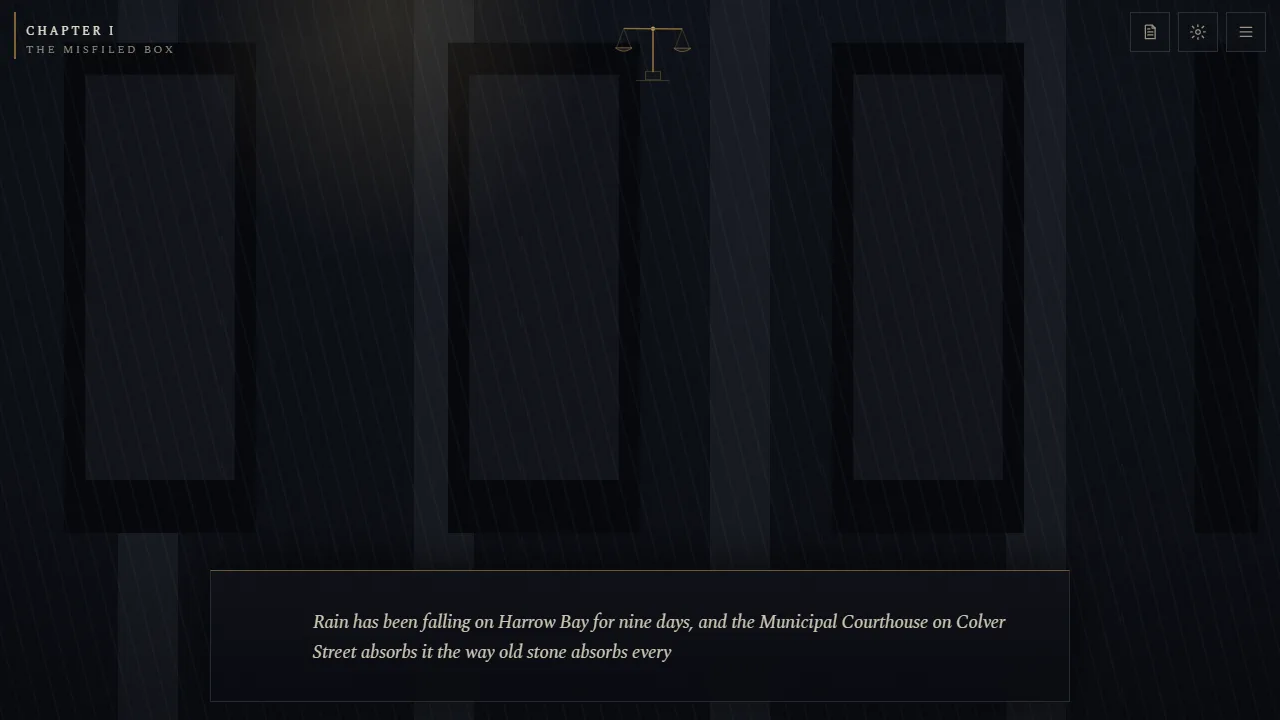
Scales of Justice
You are a records clerk in the city of Harrow Bay, drawn into a case that ends in a courtroom. It plays out over five chapters: The Misfiled Box, Rust and Rain, The Weight of Proof, The Trial of Sam Ruiz, and The Scales Have Spoken. You give your clerk a name at the start.
How it plays
- Click or tap anywhere to finish a line of text, then again to continue. Choices appear as options to click.
- The case file can be opened at any time to review what you know.
- Settings let you set the text speed (instant, fast, normal or slow), the sound and volume, and how much animation you see.
- Progress saves automatically, so you can stop and come back.
What your choices do
Every choice nudges two hidden weights: what you value, yourself or other people, and how you think order should be kept, by the rules or around them. The small scales in the corner of the screen tip as you go but never show numbers. At the end, those weights decide which of five readings of you the game gives: Good, Chaotic Good, Neutral, Evil or Chaotic Evil. It also tells you what became of each person in the story and lists the decisions that got you there.
Separately, what you gather along the way, documents, recordings, witnesses willing to speak, decides how strong the case is when it reaches court. And people remember how you treated them, often at the moment it matters most.
Timed moments
Three moments in the story are timed, with a red bar and the words "the moment is closing". You get twelve to fourteen seconds. If the bar runs out, your hesitation becomes the choice, and it is rarely a kind one. Read the situation as soon as the bar appears.
Tips
- Play it straight the first time. The ending reflects what you actually chose, which is more interesting than chasing one.
- Collect what you can. Evidence you pass up early is hard to come by later, and the trial weighs everything.
- Play again for the other endings. A different set of priorities leads somewhere very different.
Department of Lost Things
You sign a staff intake form and become a junior clerk in Retrieval, in an archive of everything people have lost. Over ten cases, a claimant comes to the intake window, describes what they lost, and you find it in the warehouse. The objects are not always objects.
How a case works
- Listen to the claim at the intake window, and ask the questions offered. The answers become clues in your casebook.
- Search the aisles. You start with three, Small Metal Things, Textiles and Weather, and Sentiment, Unsorted, and solving cases opens more, from Absences to Durations.
- Examine what you find. You can look at an object, listen to it, smell it and hold it. From the second case you can also look up its docket, its provenance, in Records, and later you are lent a lamp that shows what a thing used to be. The detail that settles a case is often in the provenance.
- Load candidates onto the trolley, then present one at the claim desk.
The Case, Trolley and Ledger tabs keep track of the claim, what you are carrying, and the notes and lore you have gathered.
Getting it wrong
Each wrong object costs you a point of standing, shown at the top of the screen, and the claimant tells you why it is not theirs, which is itself a clue. If your standing runs out you are not sacked: you are reassigned to the job you already have. There is no timer and no way to fail, so take your time. Progress is not saved between visits, so set aside time to play it in one go.
The ending
The last case ends in a choice. Two options are always offered; a third only appears if you have examined the right things in the final aisle. Before you choose, examine everything there, every way you can.
Play Department of Lost Things
One Minute to Extinction
The world ends in sixty seconds, and you control the last vault door. What you get through it seeds the next civilisation, and then that civilisation's world ends too. A run lasts up to nine generations, and there is a way to win.
A round
- Each generation starts with a briefing: your civilisation, its age, how many berths the vault has, and the catastrophe coming, with what it will do.
- Then the clock starts at 60. About fourteen things are on the shelves: groups of people, food, knowledge, machines, art and living things.
- Click something to start loading it. Only one thing loads at a time, and each takes several seconds; the time is shown on the card. Click it again to abandon the load, or click something else to switch, but either way the progress so far is lost.
- The catastrophe strikes at set moments: shockwaves destroy things on the shelves, fevers take people already aboard, raiders steal, floods drown, blights rot the food. Random luck joins in too, such as volunteers who speed up loading or a jammed conveyor that slows it.
- The round ends when the clock reaches zero. Until then, even a full vault can lose things to the catastrophe.
What happens next
Everything you saved feeds eight measures of the next civilisation, science, industry, agriculture, culture, military, medicine, the living world and memory, along with its population and how united it is. The strongest measure decides what kind of civilisation grows, and science, industry and memory decide how advanced it gets. Save weapons and you get warlords; save nothing and the survivors stop being the kind of thing that builds anything at all.
Some things, such as the seed vault or the last whale, are irreplaceable: leave one behind and it is gone for the rest of the run.
The endings
- Save too few people and the line simply ends.
- Three generations in a row with almost no technology, and humanity stops being human in any sense that matters.
- Get through nine civilisations without escaping and the wheel closes.
- There are other ways for it to end, too.
- Build a civilisation advanced enough, scientific, with a long memory and united, and you are given an ark to load instead. Get at least five of its seven parts aboard, while the catastrophe tears two away, and you escape.
Tips
- Always save some people. A civilisation needs a population to exist at all.
- Start the long loads early. A twelve-second item started with ten seconds left is wasted time.
- Read the catastrophe. In a plague, people load slowly and medicine quickly; in a war, raiders steal from the vault itself.
- For the ark, keep memory and unity up as well as science. Storytellers, elders, teachers and lawgivers matter as much as scientists.
You are the loading screen
It starts as a loading screen for a game called UNTITLED PROJECT, with an asset manifest of seven files, a progress bar and a barrier holding at 100%. Your job, it says, is to let it finish. It is short and strange, and it is best played with headphones, because the sound is generated as you play and carries a lot of it.
What you can do
- Click the glitches that crawl across the screen. Be careful with anything shaped like a button: not everything that looks like an option is one.
- Scan a file you do not trust. It tells you whether the file is clean or corrupt, and what is inside.
- Purge a file to delete it. Purging corrupt files keeps the load clean; purging clean ones deletes part of the game for good, and the game notices.
- Reinforce the barrier when it weakens. It can be used once every nine seconds. If the barrier fails, the session ends.
The loading tip says "Press any direction to move". That is the loading screen's joke, not a control: everything is done by clicking.
Endings
The title screen warns that reaching 100% is not the same as winning, and it means it. There are six endings, decided by what you choose at the end and by what you let through on the way: how many corrupt files you allowed to load, how many clean ones you purged, and whether the barrier held. Pay attention to the log, and if you find out what the barrier is for, think hard about whether you want the bar to fill.
Play You are the loading screen
Sneaky McSneakface
A top-down stealth game that plays every line for laughs and the stealth completely straight. There are ten missions, from Very Suspicious Warehouse and The Hallway of Doom to The Laser Situation, Definitely Not a Bank and Operation: Probably Legal, each unlocked by finishing the one before.
Controls
- W A S D or the arrow keys to move.
- Hold Shift to sneak: half speed, silent, and much harder to spot.
- E to interact with keycards, switches, terminals, notes, doors and anything noisy.
- Esc to pause. On a touchscreen there is a stick, plus buttons to sneak and interact.
Being seen
- Guards have visible vision cones. Walls, crates and closed doors block them. Standing guards sweep their cone from side to side; patrolling guards walk a fixed route and pause to look about.
- While a guard can see you, its detection meter fills: faster up close, and less than half as fast if you are sneaking. Above about a third, a "?" appears and the guard turns to look. Get out of sight and the meter drains.
- If the meter fills, that guard goes on alert and chases you. Get caught and the mission is compromised. Break line of sight for three and a half seconds and the guard gives up and searches where it last saw you.
- Moving at full speed close to a guard gets you heard; sneaking past does not.
- Leafy plants hide you completely.
Cameras, lasers and noise
Cameras sweep a narrow cone and raise an alarm if you stay in view for even a second; a security terminal can switch them off. Lasers raise an alarm the moment you touch one, though some blink on and off and can be timed, and switches turn others off. An alarm sends every guard to investigate the spot. Noisy machines, such as vending and espresso machines, can be set off on purpose to draw nearby guards away.
Ratings
Each mission is rated on guard alerts and alarms:
- S, Ghost: no alerts and no alarms.
- A: no alerts and at most one alarm.
- B: at most one alert and two alarms.
- C: three alerts or fewer. D for anything worse.
Your score adds a rating bonus and a speed bonus, minus 400 for every alarm. Your best score and rating on each mission are saved, and finishing the last one shows your total.
Tips
- Watch a full sweep before you move. Every guard repeats its pattern.
- Sneak near guards, walk everywhere else. Sneaking is safe but slow, and the speed bonus is worth having.
- Use noise as a tool. A vending machine on the far side of a room can empty your path.
- Turn on Detection assistance in Settings if you are struggling: it draws a line from any guard who is starting to notice you.
Ready to play?
All of these run in your browser, free, with nothing to install.
- Play Scales of Justice
- Play Department of Lost Things
- Play One Minute to Extinction
- Play You are the loading screen
- Play Sneaky McSneakface
More guides
- Playing online with friends
- Keepsies: a guide to mibs, marbles and the eight Rings
- Little Bubbling: a guide to brewing, selling and staying out of the cells
- Syphon's Slap Arena: how to slap harder, defend and win the Slap League
- Chaos Island: how to survive every disaster
- Camp Kindling: a guide to your first nights
- Tall Tails: a fishing guide
- Contrail Cup: planes, stages and racing tips
- Pulsar League: a beginner's guide to rocket football
- Resonance: Two Voices guide: playing with your voice, both roles and the bosses
- Shrap guide: weapons, maps, modes and winning gunfights
- Packfall: playing with your dog, and staying alive
- Acheron: a guide to your first escape
- Secret of Rapture: a spoiler-light guide
- Veyrfall: a tactics guide to the Broken Dominion
- Los Pantalones guide: story, gangs, money and losing the cops
- Sigilclash guide: card rules, captures, deck building and the campaign
- Drakonia guide: hatching, care, missions, battles and evolution
- Dragon Egg Traders guide: towns, prices, poachers and reaching 100,000 gold
- Greenside: a golf guide to all nine holes
- Road Riot: a guide to fighting, racing and staying out of handcuffs
- Scorch Circuit guide: weapons, the championship, upgrades and staying alive
- Pocket Grand Prix guide: drifting, turbos and faster laps
- Snowbound guide: faster runs, clean landings and every gate
- Lockdown: Undead strategy: how to survive more rounds
- Survillian guide: how to survive, level up and prestige
- Protocol: Biomass guide: survive longer in the dark
- Voidlance guide: weapons, the Prism Core and all five bosses
- Blast Grid guide: charges, power-ups, enemies and every arena hazard
- Tilt guide: three stars, every world and the level editor
- Neon Rush tips: how to run further and score higher
- SydeScroller guide: jumping, obstacles, power-ups and longer runs
- Encore guide: cues, ghosts, the Hook and how to last longer
- Lineflow guide: how to build tracks that flow
- Physics puzzle games: Cannon Crush, Gravity Breaker, Bankshot and Frog Delivery Service
- Quick arcade games: Freefall, Reality Rumble, Prism Pop, Snack Attack, 60 Second Sketch and Breakout
- Blackjack basic strategy: when to hit, stand, double or split
- How to play Texas Hold'em: hands, odds and position
- 8 ball pool rules: fouls, ball in hand and how to win
- How to play pinball: rules, scoring and tips for both tables
- Air hockey rules and tips: how to score and defend
- Bowling scoring explained: strikes, spares and the 10th frame
Spotted something out of date? Games here are updated often, so tell us through the contact page and we will fix the guide.